Hi,
I want to add the button on the left hand side of the main screen and for that we need to make an entry in database in table "sigbutdef" but i don't know where to write the click event for that. I want to call the form on the click of that button.
Please help me to solve this issue.
Thanks
Regards
Jay Nahar
light buttons on the left of the main screen

Re: light buttons on the left of the main screen
FormOpenDental.lightSignalGrid1_ButtonClick() will send off a Signalod object to all computers that each will process in their own time due to their process signal timer interval (typically 6 seconds). So I guess you will want to add your custom logic within FormOpenDental.ProcessSignals() somewhere if in fact you are going to be doing something outside of the norm of what we designed the signal buttons to do.
http://www.opendental.com/manual/messagingbuttons.html
http://www.opendental.com/manual/messagingbuttons.html
The best thing about a boolean is even if you are wrong, you are only off by a bit.
Jason Salmon
Open Dental Software
http://www.opendental.com
Jason Salmon
Open Dental Software
http://www.opendental.com
Re: light buttons on the left of the main screen
Hi,
Thank you for your reply.
Actually i want to place the custom button there on left side and when user clicks on that button a form should open. How can i achieve this?
Please help me with sample code.
thanks in advance
Thank you for your reply.
Actually i want to place the custom button there on left side and when user clicks on that button a form should open. How can i achieve this?
Please help me with sample code.
thanks in advance
Re: light buttons on the left of the main screen
That would be an extreme amount of work just to get a button to show up. You'd have to figure out a way to programmatically get the lower position of our OutlookBar (holds the main module buttons) and then put your button underneath that and then move down the light bar accordingly.jaynahar wrote:Actually i want to place the custom button there on left side and when user clicks on that button a form should open. How can i achieve this?
Please help me with sample code.
Instead of doing all of that work, why not utilize the fact that we let you have a toolbar button in any or all modules with your program link? All you have to do is override one method in your PluginBase class:
Code: Select all
public override void LaunchToolbarButton(long patNum) { ... }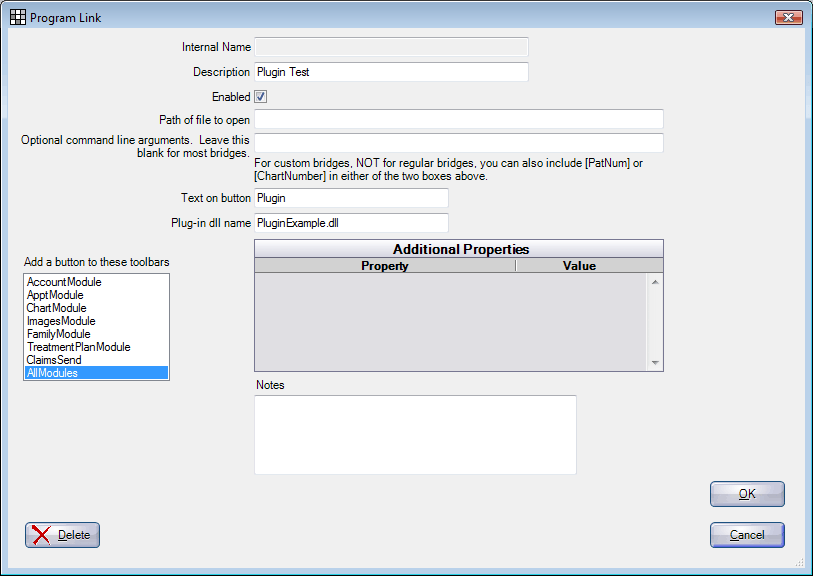
http://www.opendental.com/manual/plugins.html
The best thing about a boolean is even if you are wrong, you are only off by a bit.
Jason Salmon
Open Dental Software
http://www.opendental.com
Jason Salmon
Open Dental Software
http://www.opendental.com